









Shopify + eCardWidget
Add branded eCards to your Shopify store. Shoppers send one from the product page, the cart or the thank-you page, and you can thank every buyer with one automatically. See also: eCards for Shopify stores.
Everything you need to send branded eCards from Shopify
Sell eCards as products
On the products you choose, an eCard form takes the place of Add to Cart. The shopper picks a design and writes a message, and the card goes out once the order is paid.
Add an eCard with any item
A checkbox under Add to Cart lets shoppers send a card along with what they are buying.
An eCard in the cart
Offer a card on the cart page and in the cart drawer. It can go out right away or when the order ships.
Send from the thank-you page
After checkout, shoppers get a form to send the eCard they just bought.
Thank buyers automatically
An eCard from your store after an order is paid or shipped, on every order or only a customer's first.
In your shopper's language
The form follows the language the shopper is browsing in, across 11 languages, and the eCard arrives in that language too.
Pair Shopify with eCardWidget
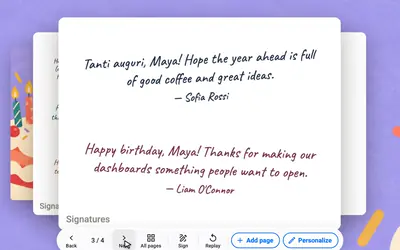
eCards become part of the purchase. A shopper buying a gift writes a message on your product page, and the recipient gets a card in your branding that can show the product itself: its name, its photo and a link back to your store. Each eCard also shows on the order in Shopify, so your team can see who it went to.
A charity gift catalog sells a "school supplies for a child" gift. The shopper buys it in a friend's name and writes a note on the product page. Once the order is paid, the friend gets a branded eCard with the gift's photo and description, in the language the shopper was browsing in.
How to integrate Shopify and eCardWidget
- 1Install the eCardWidget app from the Shopify App Store and connect your eCardWidget account.
- 2Switch on the eCardWidget app embed in your theme editor. Your dashboard links straight to it.
- 3Pick the products that get an eCard and where shoppers see it: on the product page, in the cart or on the thank-you page.
Step-by-step setup is in the help center. For how each piece behaves on your storefront, see the Shopify developer guide.
Shopify + eCardWidget questions
Do I need to write any code?
No. You install the app from the Shopify App Store, switch on the app embed in your theme editor, and pick your products in the eCardWidget dashboard.
When is the eCard sent?
An eCard bought on the product page goes out once the order is paid. An eCard added in the cart can go out right away or when the order ships. The automatic thank-you eCard goes out after payment or after shipping, whichever you choose.
Does it work in my shoppers' language?
Yes. The eCard form follows the language the shopper is browsing in: English, French, Spanish, German, Brazilian Portuguese, Dutch, Arabic, Hebrew, Korean, Vietnamese or Polish. The eCard is sent in that language too.
Can the eCard show the product that was bought?
Yes. A card sent from the product page can carry the product's name, description, photo, price and a link back to it.
Can I use my existing eCard templates?
Yes. The eCards you've already built in eCardWidget are the ones you attach to your products, your cart and your automatic thank-you.
Related integrations
Browse all Ecommerce integrations →
WordPress
Embed a curated eCard gallery on any WordPress page. Visitors pick, personalize, and send.

BigCommerce
BigCommerce store events into automated eCard sends via Zapier.

Zapier
Connect eCardWidget to 7,000+ apps with no code, using real-time triggers and actions.

REST API
Documented REST API with Bearer-token auth. Send eCards, sync your directory, subscribe to webhooks.
Get started with Shopify + eCardWidget
Start free, no credit card required. The REST API, webhooks and the MCP server are on every plan. Zapier and the HR System Feed are on Enterprise.