
A Recognition Board Your Whole Company Posts To
Give shout-outs a home. Anyone on the team posts a note, a GIF or a photo for a coworker, and the board becomes a running recognition wall for your intranet or the office screen.
- No account needed to post
- Reactions and comments
- Approve posts first, if you want
Posting
Posts that look like a person wrote them
Pick who it’s for, choose a handwriting style, and add a GIF, a sticker or a photo. It lands on the board the moment you post.
- A choice of handwriting styles
- GIFs and stickers built in
- Or design a full page, the same way you would a card
Joining in
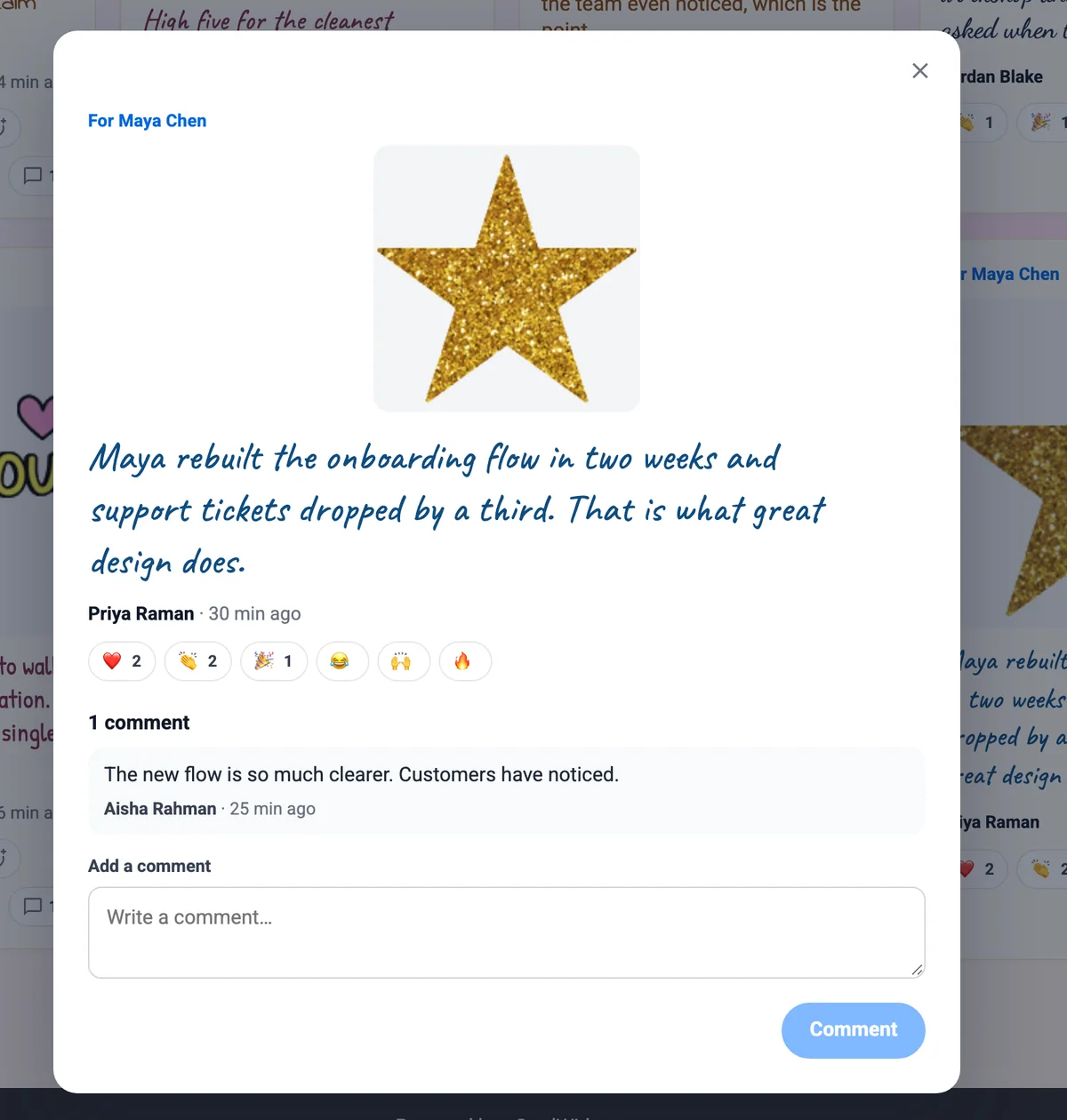
One thank-you turns into a team moment
Coworkers add reactions and comments, so the person sees that more than one colleague noticed. Name a teammate from your directory and they get an email with the post.
- Reactions on every post
- Comments from anyone on the board
- The person recognized hears about it by email
On screen
Put it up where people will see it
Play the board as a slideshow at the all-hands, or leave it running on the screen by the break room. Each post gets its moment.
- A slideshow of every post, one at a time
- Embed a view-only board in SharePoint, Confluence or Notion
- Download the whole board as a PDF
Three kinds of board
Start with one. Most teams end up with all three.
For one person
A farewell, a retirement, a milestone year. Collect posts from everyone, then send the board to them as a card with a PDF to keep.
For a team
A project that shipped or a department’s own wall. Everyone invited can post and see what the others wrote.
Open to everyone
A company-wide recognition wall that stays open all year, so a thank-you has somewhere to go the day it happens.
A public wall, with HR still in charge
Approve posts first
Turn on approval and every post waits for a moderator before it shows. Leave it off and posts go straight up.
Pause, close, reopen
Close a farewell board when the day comes, or pause the company wall over the holidays and open it again in January.
Boards that open on their own
Birthday, work anniversary and new hire welcome automations can open a board for each person from the dates in your team directory.
Automated eCardsSend it as a card
When a board is for one person, deliver it to their inbox as a card they can flip through and keep.
Group CardsNeed it signed and delivered on a day?
For a birthday or a farewell with a date on it, start a Group Card. The team signs, reminders go out on their own, and one card arrives on the day.
See Group CardsGroup Board questions
What is a Group Board?+
A Group Board is a shared recognition wall. People post a note, a GIF, a photo or a video for a coworker, and everyone else can react and comment. It stays open as long as you want it to.
Who can post to a board?+
You decide. A board can be for one person, for a team, or open to the whole company. People post from the link without creating an account.
Can we review posts before they appear?+
Yes. Turn on approval and each post waits for a moderator before it shows on the board. You can also pause a board, close it, and reopen it later.
Can we show the board on our intranet or a screen in the office?+
Yes. Embed a view-only board in SharePoint, Confluence, Notion or any page, or play it as a slideshow on a screen. See employee recognition in SharePoint.
Does the person being recognized find out?+
Yes. When a post names a teammate from your directory, they get an email with the post.
What is the difference between a Group Board and a Group Card?+
A Group Card is signed by the team and delivered to one person on a day. A Group Board is a wall that stays open, where posts, reactions and comments keep coming. A board made for one person can also be sent to them as a card.
Give your team’s shout-outs a home
Start a board, share the link, and watch it fill up. Join 9,000+ organizations sending branded eCards.
See pricing