
Group Greeting Cards the Whole Team Signs
Start a card for a birthday, a farewell or a big win and invite the team with a link. Everyone adds a note, and one card arrives on the day with all of them in it.
- No account needed to sign
- Reminders go out for you
- Birthdays can run on their own
How a Group Card comes together
Nobody has to chase signatures around the office or track down who has the card.
Start the card
Pick a design, say who it’s for, and choose the day it should arrive.
Invite the team
Send email invites, pick people from your team directory, or drop the link or QR code in a chat.
It arrives signed
On the day, they open one card with every note in it, and a PDF copy to keep.
Signing
Signing takes a minute, and nobody needs an account
Teammates open the invite, write a note in the handwriting style they like, and sign. Anyone who wants to do more can design a whole page with photos, GIFs, stickers or a video.
- No login and no app for signers
- A quick note, or a page of their own
- Sign from the email invite or the shared link
Organizing
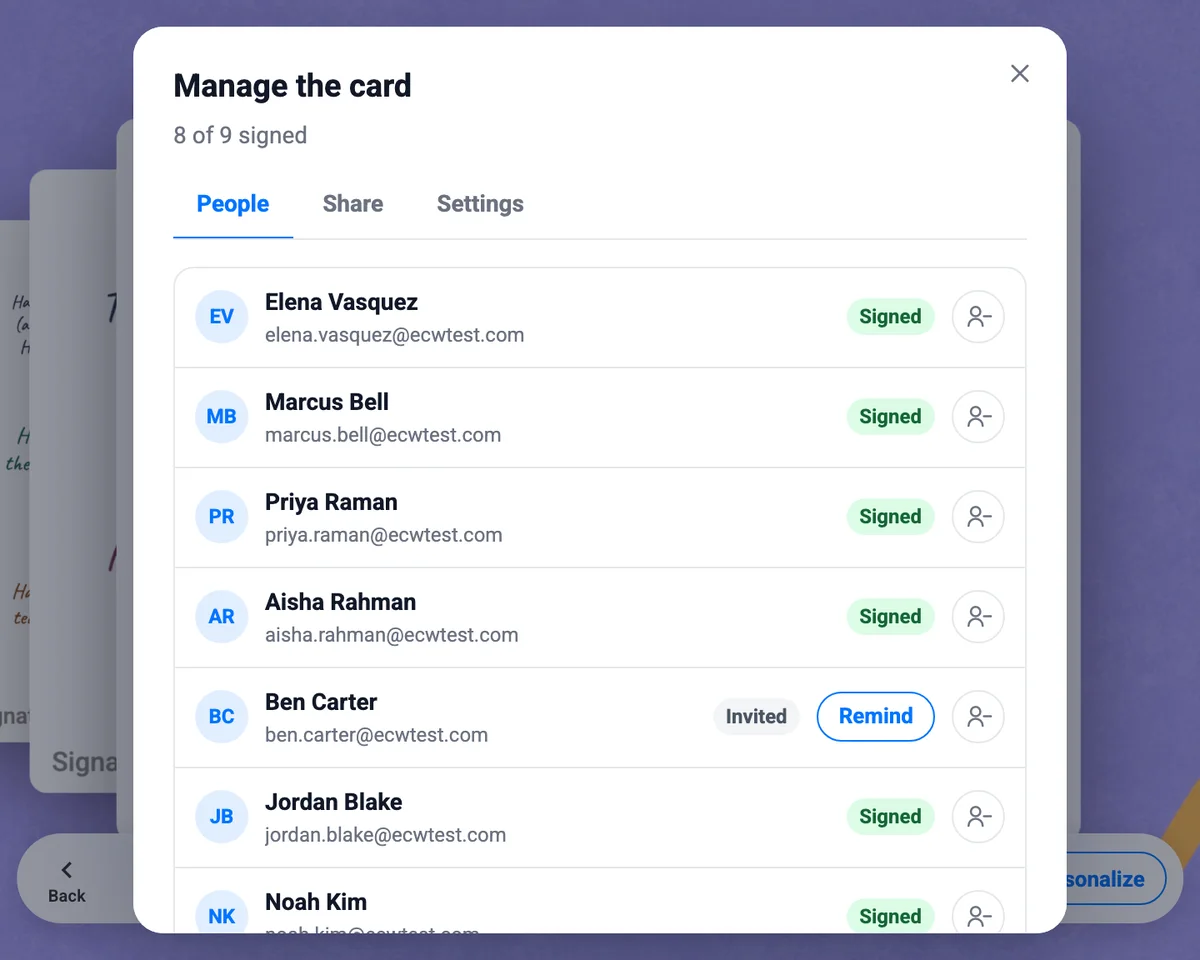
See who has signed, and nudge who hasn’t
The organizer sees every name on the card and where each one stands. Reminders go out on their own before the send date, and one click sends another.
- Hold the card until enough people have signed
- Send it early once everyone is in
- Add pages, or lock the card when it’s done
Automation
Birthday and anniversary cards that organize themselves
Most group cards don’t happen because nobody remembered to start one. Attach a Group Card to a birthday, work anniversary or new hire welcome automation, and your team directory does the remembering.
If nobody is around to sign, a personal eCard goes out instead, so no one’s day gets skipped. Set it up once for birthdays, work anniversaries and new hire welcomes and it runs every year.
-
A few days before
The card opens
Their group and their manager get an invite to sign. Nobody has to organize it.
-
In between
The team signs
Notes come in as people have a minute. Reminders go out on their own.
-
On the day
The card arrives
One card in their inbox, signed by the people they work with.
A group card for every team moment
The ones a single sender can’t cover.
Farewells
A going-away card the whole department signs, wherever they work.
Get well soon
A card that reaches them at home, signed by everyone thinking of them.
Sympathy
Kind words from the whole team, gathered quietly in one place.
New baby
Congratulations from everyone, ready before the parental leave starts.
Team wins and thank-yous
The launch shipped, the audit passed, the quarter closed. Say so together.
Team appreciation eCardsMore than a row of signatures
Photos, GIFs and video
Signers can add a photo from the offsite, a GIF, or a short clip saying it on camera.
Video eCardsA gift from everyone
On Enterprise plans, signers can chip in for one gift card that arrives with the card.
Gift cards for employeesYour own designs
Use the card designs your company already has, or start from the template library.
Browse templatesA review step if you need one
Hold a card for approval before signing starts or before it’s delivered, when your policy calls for it.
Want something that stays open?
A Group Card is signed and delivered on a day. A Group Board keeps going: a running wall of shout-outs the whole company can post to, react to and comment on.
See Group BoardsGroup card questions
Do people need an account to sign a group card?+
No. Signers open the invite or the shared link, write their note and sign. There is nothing to install and no login, and the person receiving the card doesn’t need an account either.
How do I invite people to sign?+
Send email invites, pick people from your team directory, or copy the link or QR code into a chat or a slide. You can see who has signed and send a reminder to anyone who hasn’t.
What does the person receive?+
One card that opens in the browser. They flip through the pages, read every note, and can keep a PDF copy.
Can a group card go out automatically for birthdays and work anniversaries?+
Yes. Attach a Group Card to a birthday, work anniversary, new hire welcome or custom date automation. The card opens a few days ahead, the person’s group and manager are invited to sign, and it arrives on the day. See automated birthday eCards.
What if not everyone signs in time?+
Reminders go out before the send date. You can hold a card until enough people have signed, or send it early once everyone is in. On an automated card, if nobody signs, a personal eCard goes out instead so the day isn’t missed.
Can signers add photos, GIFs or video?+
Yes. A signer can leave a quick note, or design a page of their own with photos, GIFs, stickers or a video.
Is there a free group card?+
Group Cards are part of every eCardWidget plan, including the free plan, so you can start one today and upgrade when the whole company is on board. See pricing.
Start a card the whole team signs
Pick a design, share the link, and let the team do the rest. Join 9,000+ organizations sending branded eCards.
See pricing