
eCardWidget vs Canva
Canva is where teams design beautiful cards. eCardWidget is where businesses actually send them — automatically, to the right person on the right day, with your branding and a synced team directory doing the remembering.
Canva describes itself as “Design custom greeting cards in 5 minutes ➤ Hundreds of templates, 2M+ photos, 130+ fonts. Make a card for free!” (source, Jul 2026).
The numbers
eCardWidget by the numbers
organizations send with eCardWidget
eCards delivered
branded templates, 88+ widget options
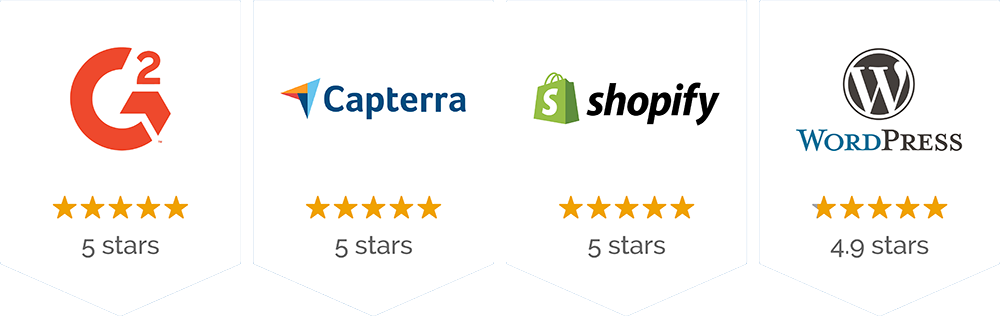
eCardWidget ratings across review platforms
Head to head
eCardWidget and Canva, side by side
Our column is eCardWidget as we describe it; Canva’s column is Canva as they describe it — every quote taken verbatim from canva.com.
Automation
eCardWidget
Set once, runs forever: birthdays, 1–50 year anniversaries, and 30+ holidays fire themselves from your team directory.
Explore automated eCardsCanva · in their words
Not stated on Canva’s site (as of Jul 2026).
Branding
eCardWidget
Your logo, colors, and custom designs — 88+ widget options, 100+ builder options, embeddable on your site.
Browse the design libraryCanva · in their words
“Brand Templates Simply publish a design as a template and the design will automatically be added to your brand page.”
— canva.com, Jul 2026
Team & directory
eCardWidget
A team directory built for recognition: departments, managers, birthdays, hire dates — synced via CSV, API, or SCIM.
SSO & directory syncCanva · in their words
“Invite your team Invite unlimited members to your team and easily share your brand templates, colors, fonts and logo.”
— canva.com, Jul 2026
Pricing
eCardWidget
Transparent plans from free to Enterprise — recognition features included, no per-design fees.
See pricingCanva · in their words
“Canva Pricing: Compare Free, Pro, Business and Enterprise plans”
— canva.com, Jul 2026
The other side of the comparison
Canva, in their own words
Rather than describe Canva ourselves, here is how Canva puts it — direct quotes from their website:
“Brand Templates Simply publish a design as a template and the design will automatically be added to your brand page.”
“Invite your team Invite unlimited members to your team and easily share your brand templates, colors, fonts and logo.”
“Canva Pricing: Compare Free, Pro, Business and Enterprise plans”
Beyond the design canvas
What happens after the card is made
Everything below is eCardWidget — delivery, automation, directory, and rewards for 9,000+ organizations.
eCardWidget
Upload your art — automate the send
Bring your own designs into eCardWidget or start from the design library, then put delivery on autopilot: birthday, work anniversary, holiday, and onboarding eCards fire on each person’s dates — four trigger types, 1–50 year milestones, 30+ holidays, and 10 custom date fields.

Birthday automation
Fires on each person's date, every year
Anniversary milestones
1–50 years, detected from hire date
30+ holidays
Fixed and movable-date triggers
eCardWidget
A directory that remembers for you
CSV import works on every plan. On Enterprise, Okta, Microsoft Entra ID, and Google Workspace keep the list current over SCIM 2.0 — joiners added, leavers deactivated, birthdays and hire dates synced — so the right card reaches the right person without anyone updating a spreadsheet.

Team directory
Departments, managers, custom dates
OIDC SSO
Okta, Entra ID, Google Workspace
SCIM 2.0 sync
Auto-deactivation on offboarding
eCardWidget
More than a card: rewards, widgets, API
Attach digital gift cards with per-card and velocity spend limits (Enterprise), embed a peer-to-peer eCard widget your whole team sends from, and wire it into your stack with the REST API, webhooks, Zapier, or the MCP server.
Gift card rewards
Giftbit BYOK or your own code pools
Spend controls
Per-card limits, velocity caps, audit log
API, Zapier & MCP
Automate from any stack — or any AI assistant
From the template catalog
the design library — or bring your own design
Start from the catalog or upload the artwork you already made. Either way, sending is automatic.
eCardWidget in the wild
How businesses put it on their sites
Live eCardWidget widgets running on customer sites right now — click through and send one.
Questions teams ask about eCardWidget and Canva
How do I switch from Canva to eCardWidget?
Keep designing wherever you like — upload your finished artwork into eCardWidget (or start from the 350+ template catalog), import recipients by CSV on any plan or sync them via Zapier/API, and set your birthday and anniversary automations once. Book a demo and we’ll walk through it with your designs.
I already design my cards — why add eCardWidget?
Because eCardWidget handles what comes after the design: a team directory with everyone’s dates, automations that fire on them, a peer-to-peer sending widget, gift card rewards with spend controls, and per-send analytics. You can upload any artwork you own, whatever tool it was made in.
How much does eCardWidget cost?
There’s a free tier, and paid plans scale up to Enterprise (which adds SSO/SCIM and gift card rewards) — full details on the pricing page.
How customizable are eCardWidget eCards?
Very — start from 350+ branded templates or upload your own artwork, then use the builder’s 100+ options (including audio and video) plus 88+ widget settings to match your site and brand. Browse the template gallery.
Which occasions can eCardWidget automate?
Birthdays and work anniversaries (with 1–50 year milestone detection) straight from your directory dates, 30+ built-in holidays including movable dates, onboarding welcomes, and up to 10 custom date fields per person. See automated eCards.
Can eCardWidget integrate with our stack?
Yes — a documented REST API and webhooks, Zapier (7,000+ apps), and an MCP server so AI assistants can send eCards too. Directory data flows in via SCIM 2.0 or the Directory Sync API.
How is the Canva information on this page sourced?
Every statement about Canva on this page is a verbatim quote from Canva’s own public website, linked to its source with the date we quoted it. We don’t characterize competitors in our own words — their site speaks for them, ours speaks for us. Details may have changed since the quoted date; verify current features and pricing with Canva.
Senders who brought their own designs
“I wanted to use my own designs as I am an artist and this option was very easy to use. It didn't take much time at all to upload them and Tim helped me with a specific feature I needed for my website too.”
Emily
Emily Shepherd Art
More customer stories →“I am very impressed by this plugin as it is absolutely user-friendly. I really love the ease of adding cards and how they will be automatically formatted to the perfect layout on my website.”
Lynn Tan
Nuts About Arts
More customer stories →“The image uploading and editing process for the cards is nice and simple, and sending works well without getting to Spam folders.”
Yuri Fideli
Wagalume Marketing
More customer stories →Explore eCardWidget
Peer-to-Peer Recognition
An embeddable eCard widget the whole team sends from.
Learn more →
Automated eCards
Birthdays, anniversaries, holidays — recognition on autopilot.
Learn more →
Gift Cards for Employees
Real rewards attached to the eCards you already send.
Learn more →
SSO & Directory Sync
Okta, Entra ID, Google Workspace — enterprise identity built in.
Learn more →
Ready when you are
See it with your own branding
Start free, or get a demo with your logo, your dates, and your team directory.
Used by 9,000+ organizations · the design library · setup in minutes
Canva and related marks are trademarks of their respective owners. eCardWidget is not affiliated with, sponsored by, or endorsed by Canva. All Canva information on this page consists of verbatim quotations from Canva’s public website on the date shown; features and pricing may have changed — please verify current details with Canva directly. eCardWidget information reflects our platform as of July 2026.